
Internal labour, end to end: from DS Site to the Budget Register
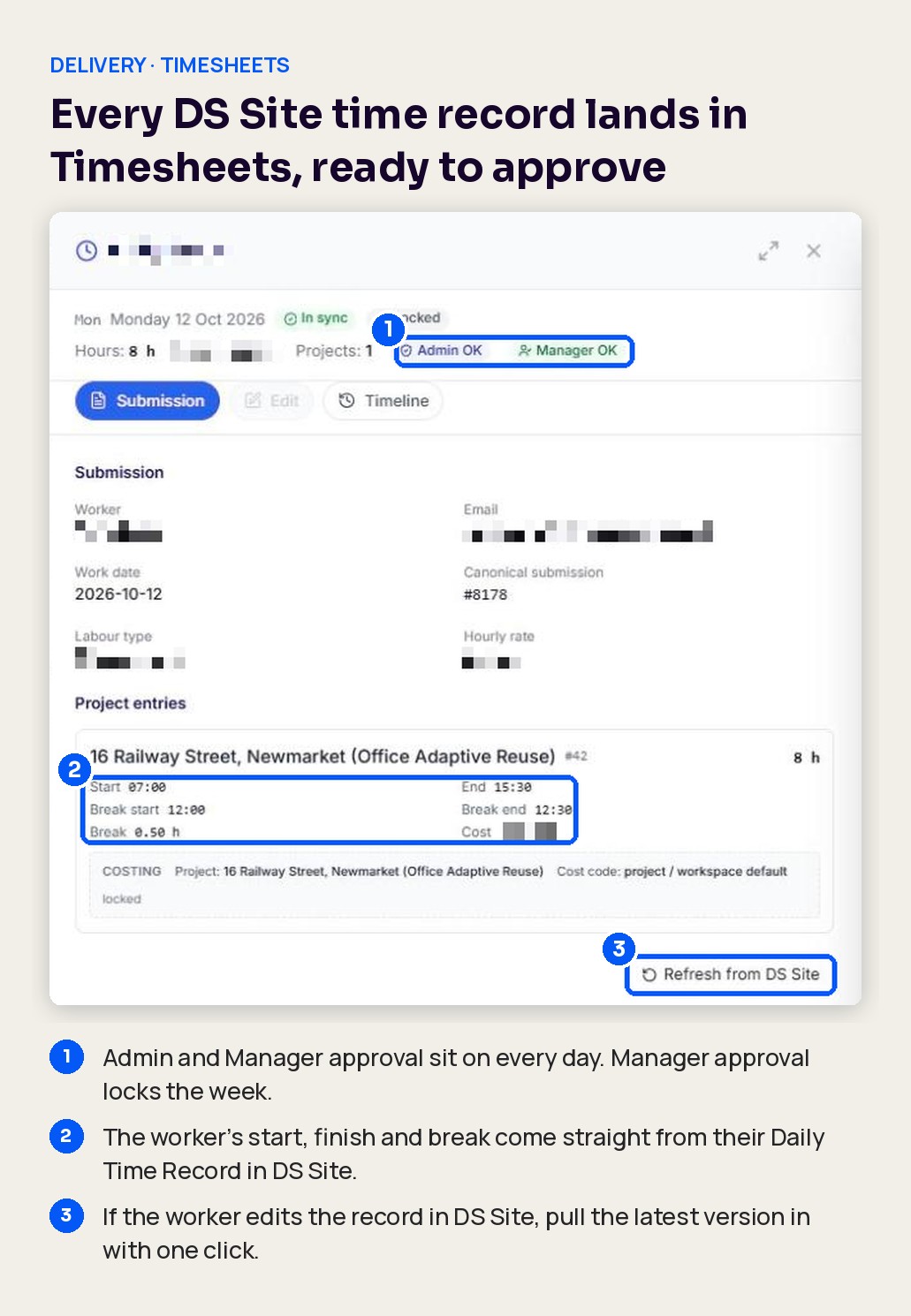
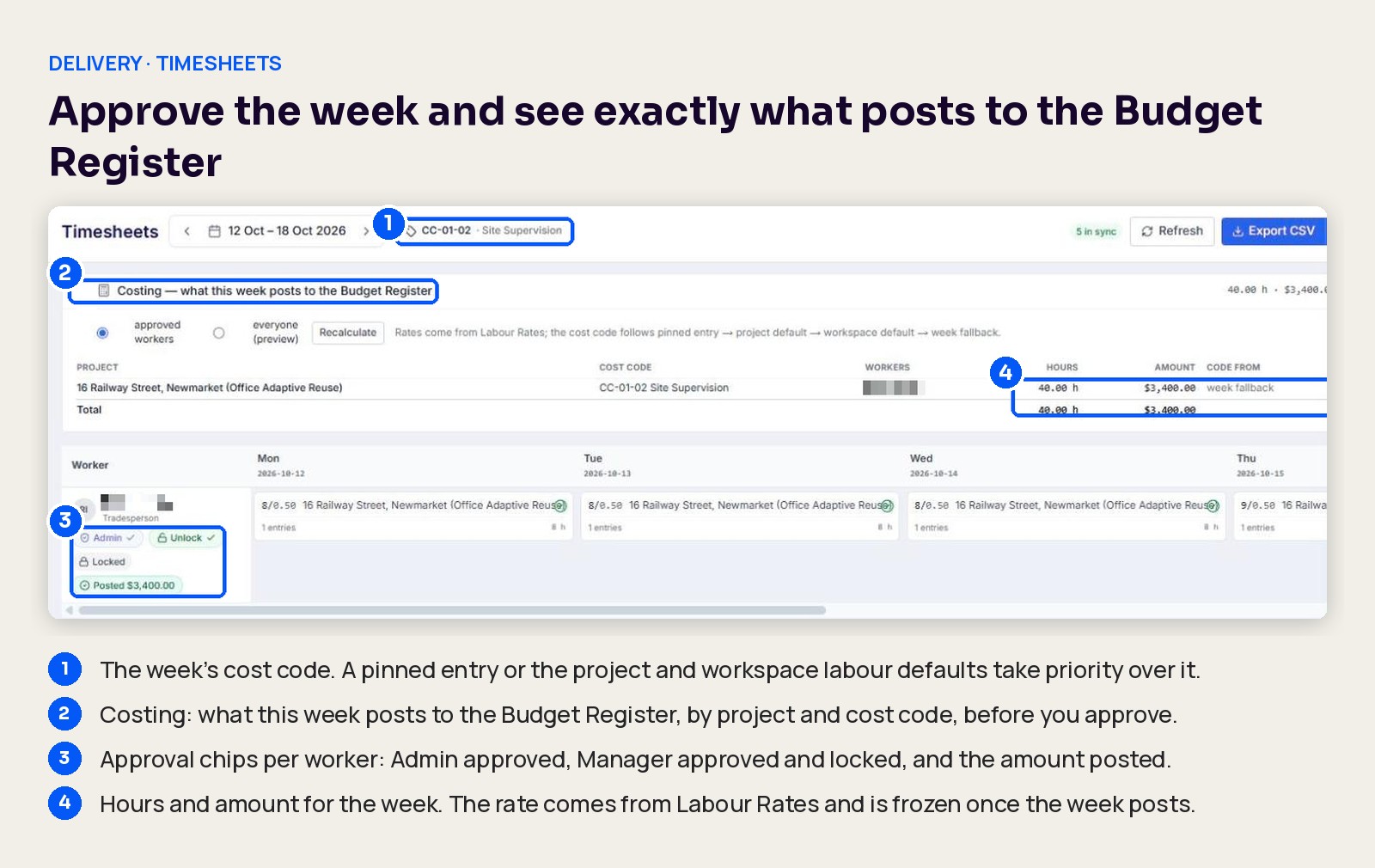
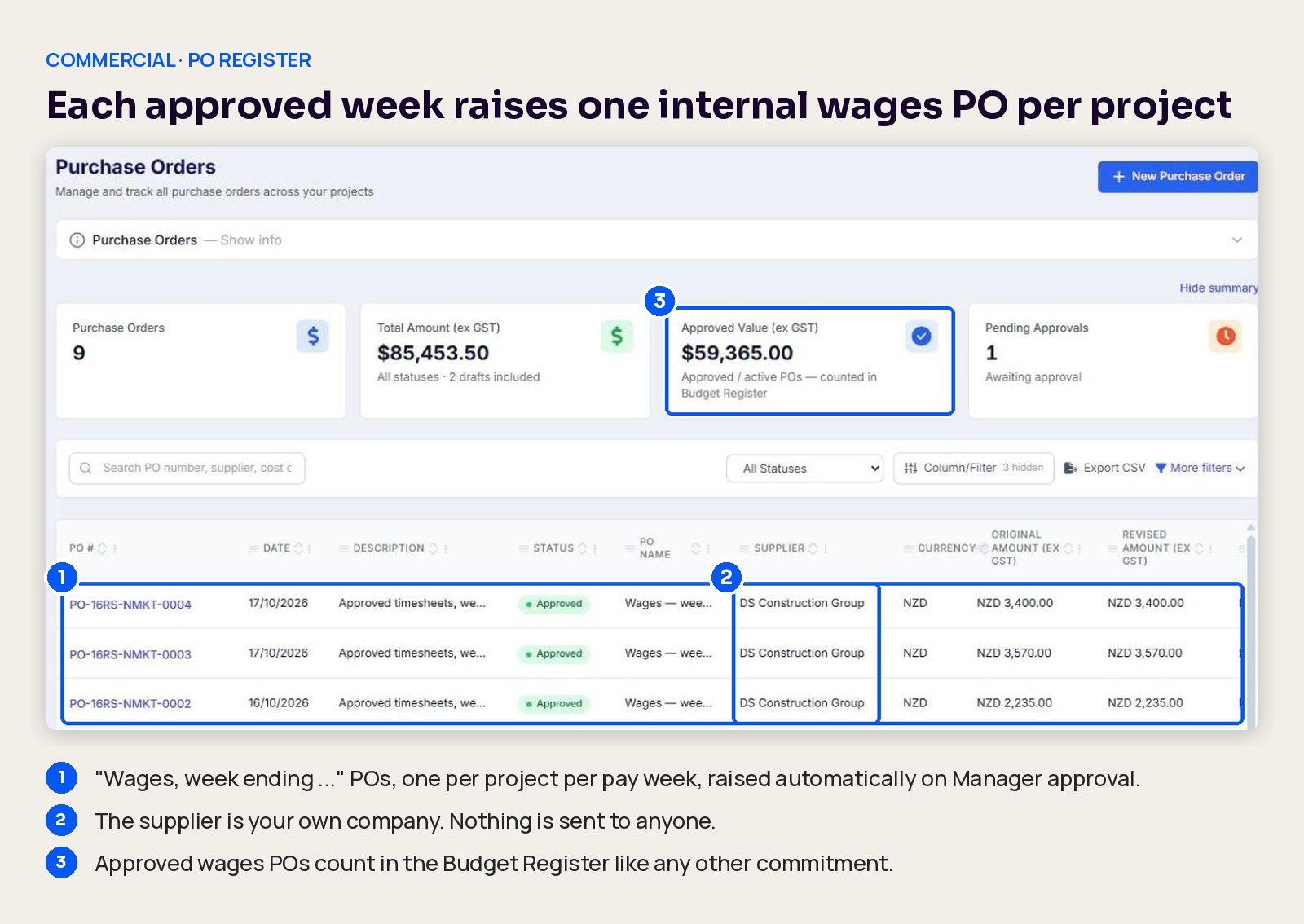
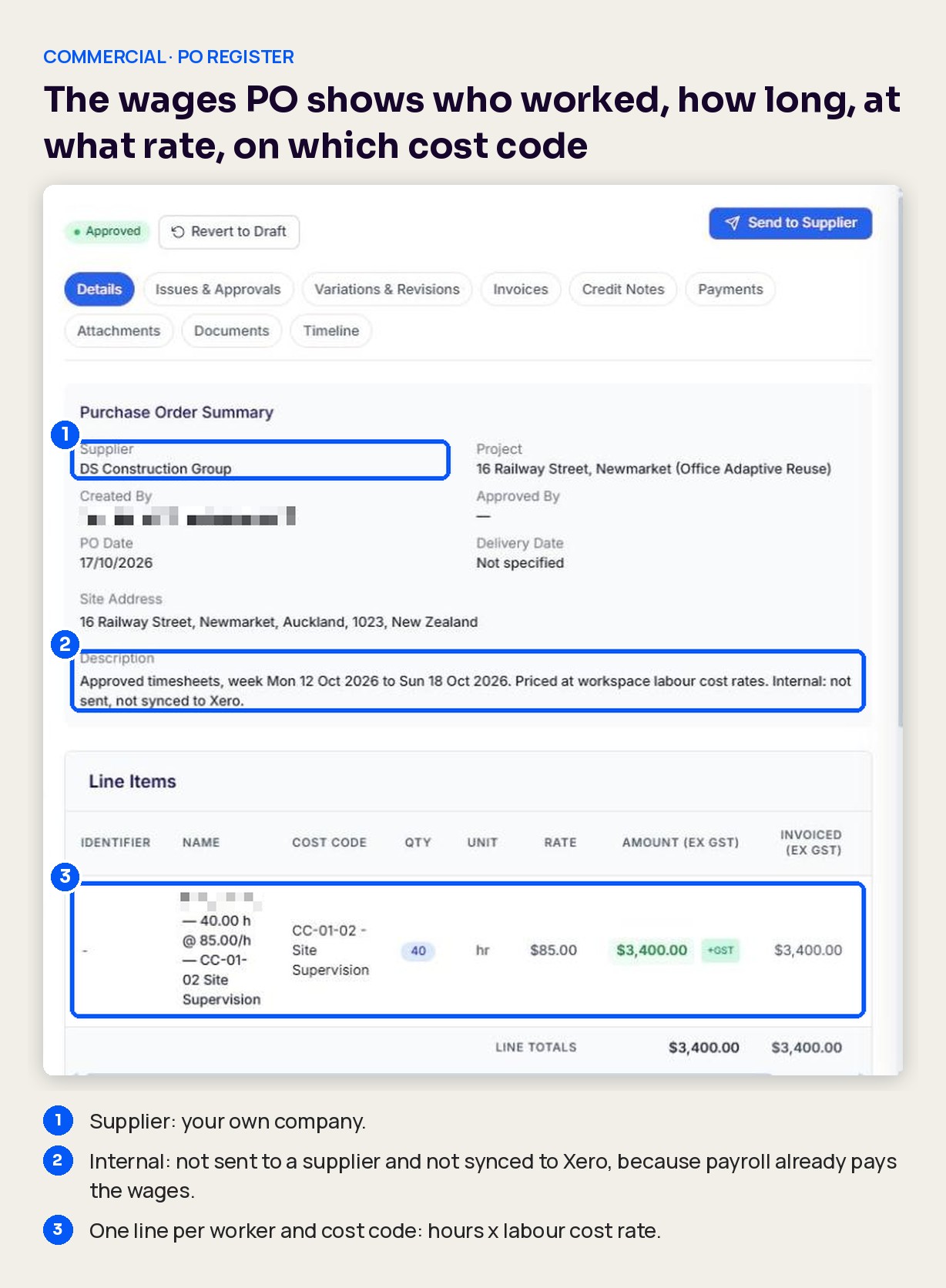
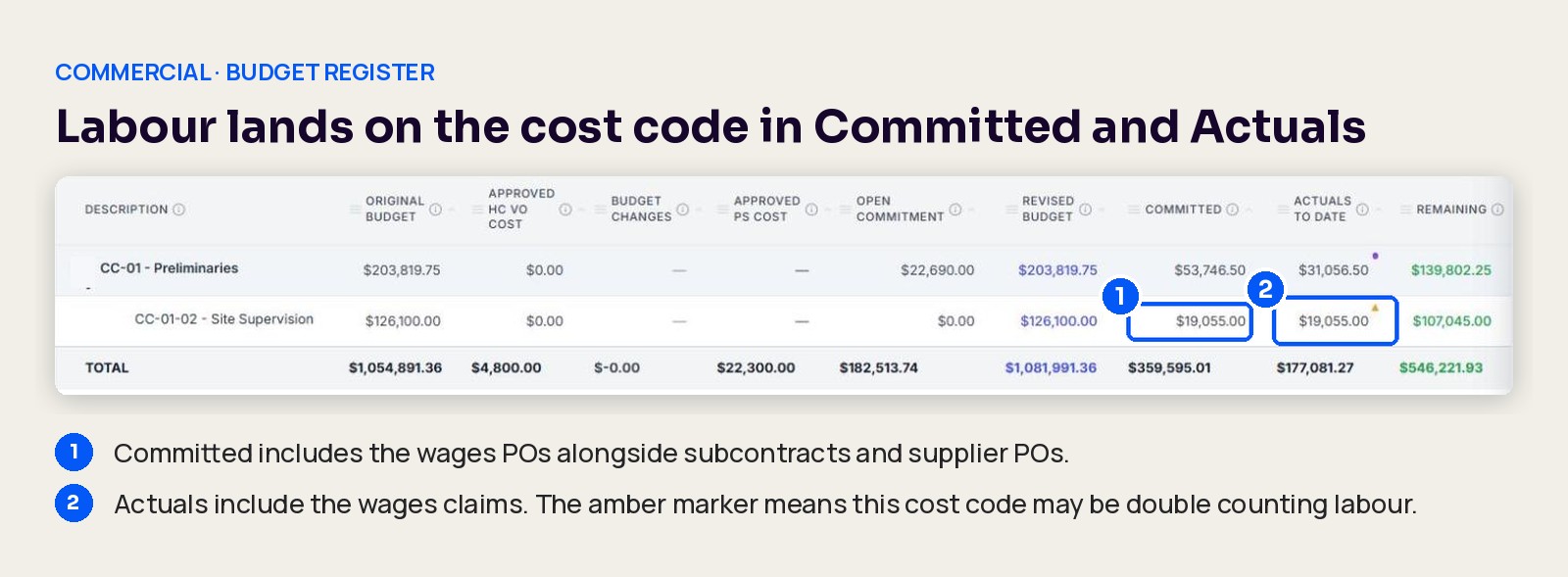
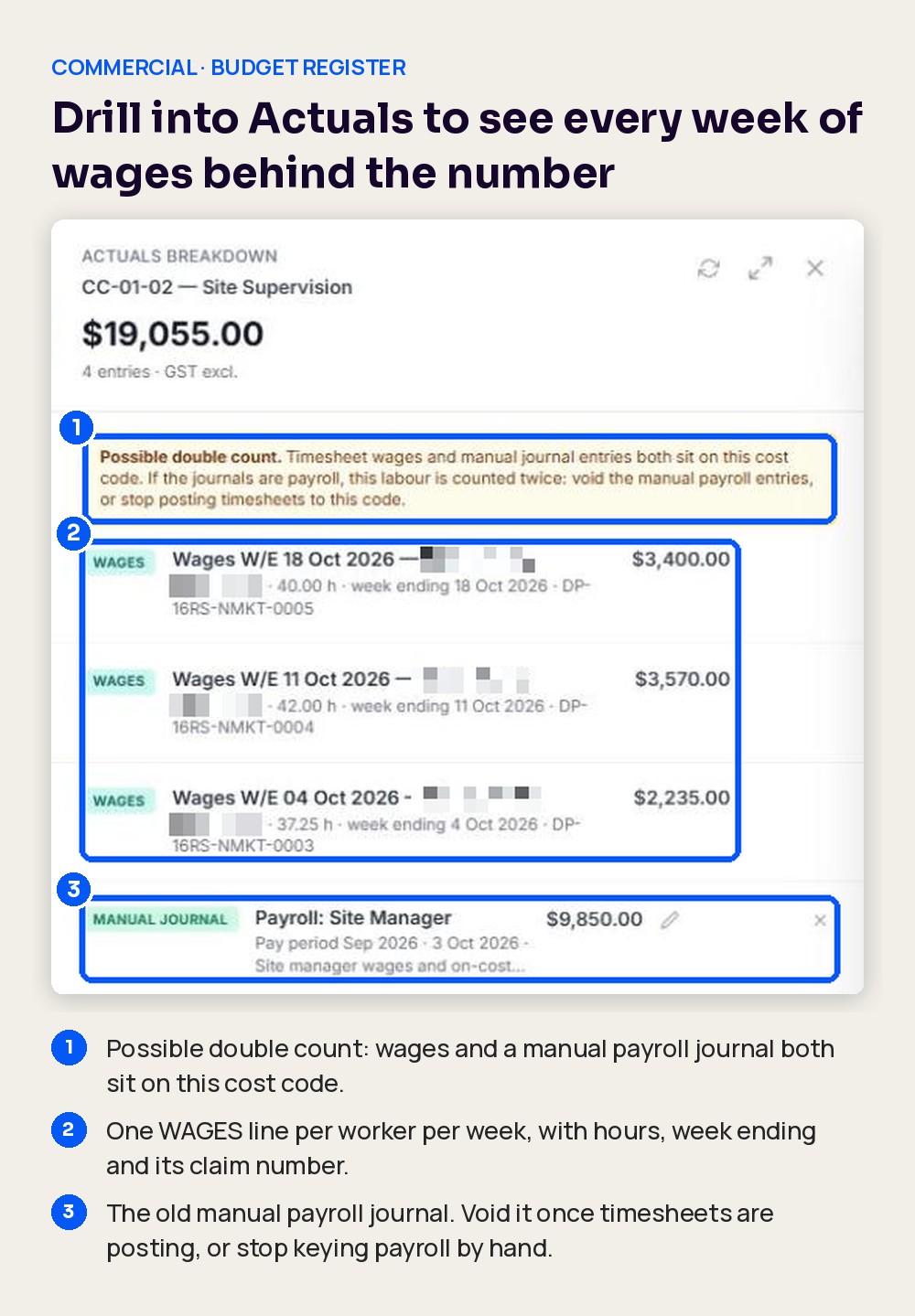
As a project manager, I used to find out what my own crew cost when payroll landed a month later, so I can now see labour on the cost code the week it is approved. The Problem Your own crew is often the biggest cost on the project that nobody can see. Hours lived in DS Site. Rates lived in payroll. The Budget Register only knew about labour when someone keyed a payroll journal by hand, usually weeks later and usually as one lump against one cost code. So the QS forecast site supervision on a guess, the PM found the overrun at month-end, and the WIP report was always a month behind on the one cost you control directly. What's New Approved timesheets now post to the Budget Register on their own. When a manager approves a worker's week, Deep Space raises an internal wages PO for each project that worker was on, and the hours land on the right cost code in Committed and Actuals, priced at that worker's labour cost rate. No journals, no re-keying, no waiting for payroll. How It Works Set up once Give each role a cost rate in Labour Rates (for example, Site Manager at $85 an hour). Link each worker to their role in the Workforce Directory. Set a default labour cost code for the project or the workspace. You can still pin a different code on a single entry. Every week The worker clocks their day in DS Site. The Daily Time Record captures the project, start, finish and break. A worker can split a day across two projects. It lands in Timesheets, by worker, day and project. If the worker changes the record in DS Site, Refresh from DS Site pulls in the latest version. Check the Costing panel. It shows what the week will post to the Budget Register, by project and cost code, before anyone approves. Approve. Admin and Manager approve, in either order. Manager approval locks the week and posts it. One wages PO per project per week. Each posted week raises an internal PO called "Wages, week ending ...", with one line per worker and cost code (hours x cost rate). The supplier is your own company. It is approved, never sent to anyone and never synced to Xero, because payroll already pays the wages. Labour lands in the Budget Register. The wages PO counts in Committed and a matching wages claim counts in Actuals, on the same cost code as your subcontract and supplier costs. Forecasting and the WIP report pick it up from there. Drill in to see every week. Click Actuals on the cost code to see each WAGES line with the worker, hours and week ending. Why It Matters Labour is the cost you control directly, and now it shows up in the same place, on the same cost codes and in the same week as everything else. The PM sees a supervision overrun while there is still time to change the crew plan. The QS forecasts from real hours, not last month's journal. Management sees margin on every project with your own people in it. FAQs Why is there a PO for my own staff? The Budget Register builds Committed and Actuals from commitments: subcontracts, purchase orders and invoices. Wages have no supplier invoice, so the internal PO is the commitment that carries labour onto the cost code. It is labelled as wages, uses your own company as the supplier, and is never sent or synced. Will it go to Xero? No. Wages POs and their claims stay in Deep Space. Payroll still pays your people, so syncing them would count the cost twice. What if a timesheet is wrong after it has posted? Unlock the worker's week and give a reason. That worker's lines and claim are voided and the PO shrinks to match (it is only voided completely when no workers are left on it). Fix the entries, approve again, and the week posts again. What rate is used? The worker's labour cost rate at the moment the week posts. The rate is then frozen on that week. If you change a rate later, it only applies to weeks that have not posted yet. Which cost code does labour go to? In order: a code pinned on the entry, then the project's default labour code, then the workspace default, then the code set on the week. What if a worker splits their week across projects? Each project gets its own wages PO line and claim for that worker's hours on it, so labour lands on the right project every time. What currency is used? The currency follows your workspace country in Company Settings, for example NZD for New Zealand. We already key payroll journals into the Budget Register. Will labour be counted twice? It can be. If a cost code carries both timesheet wages and manual journal entries, the Budget Register shows an amber marker on Actuals and a Possible double count warning in the drill-down. Void the manual payroll journals once timesheets are posting, or stop keying payroll by hand. Can I still export hours for my payroll run? Yes. Export CSV on the Timesheets page is still there. What is out of scope? Matching the wages you actually pay through payroll or your accounting system back to Deep Space. Deep Space carries the labour cost at your cost rates; payroll stays the source of truth for what each person is paid.
How do you feel about this update?