
Approval Engine
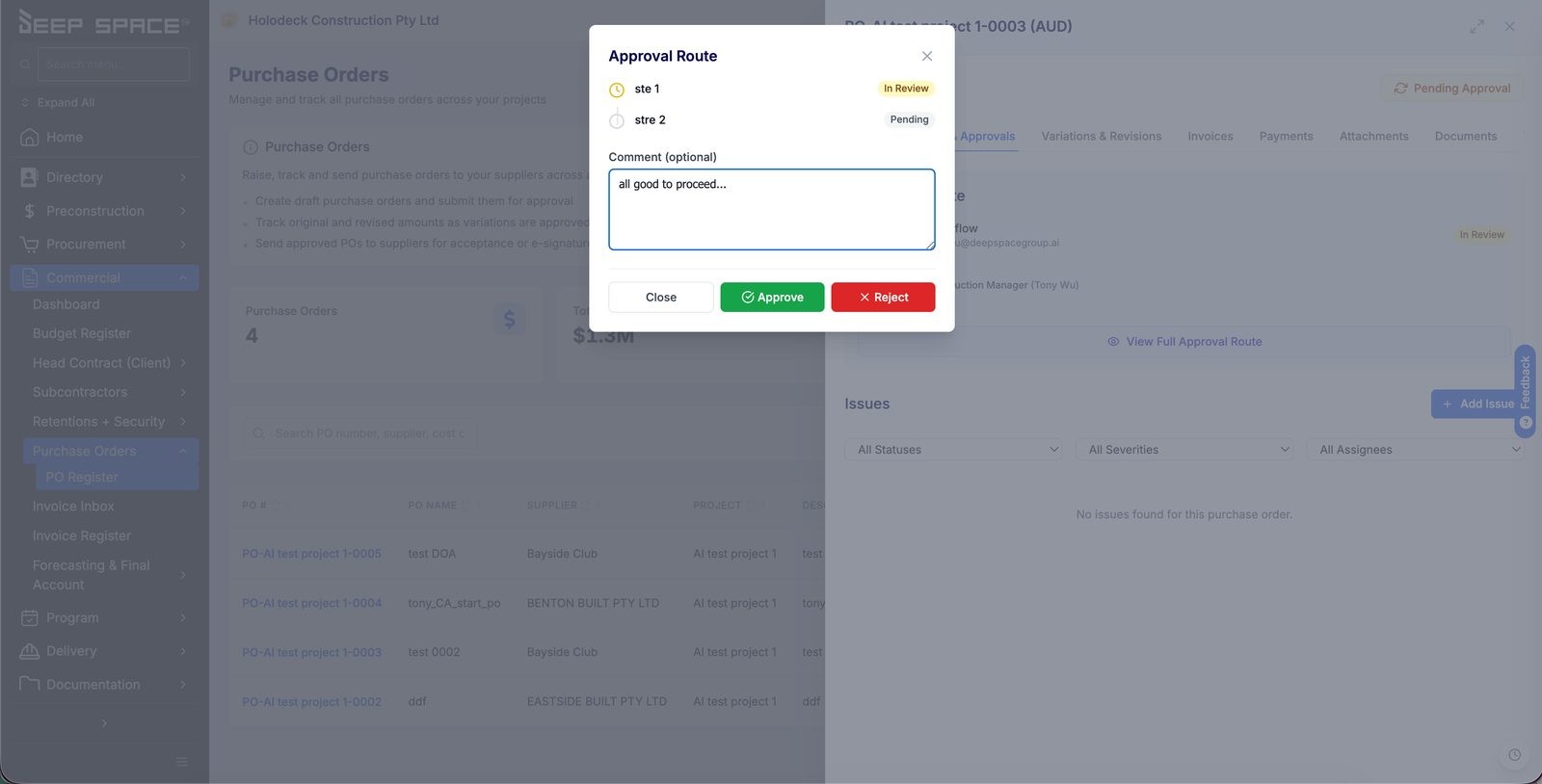
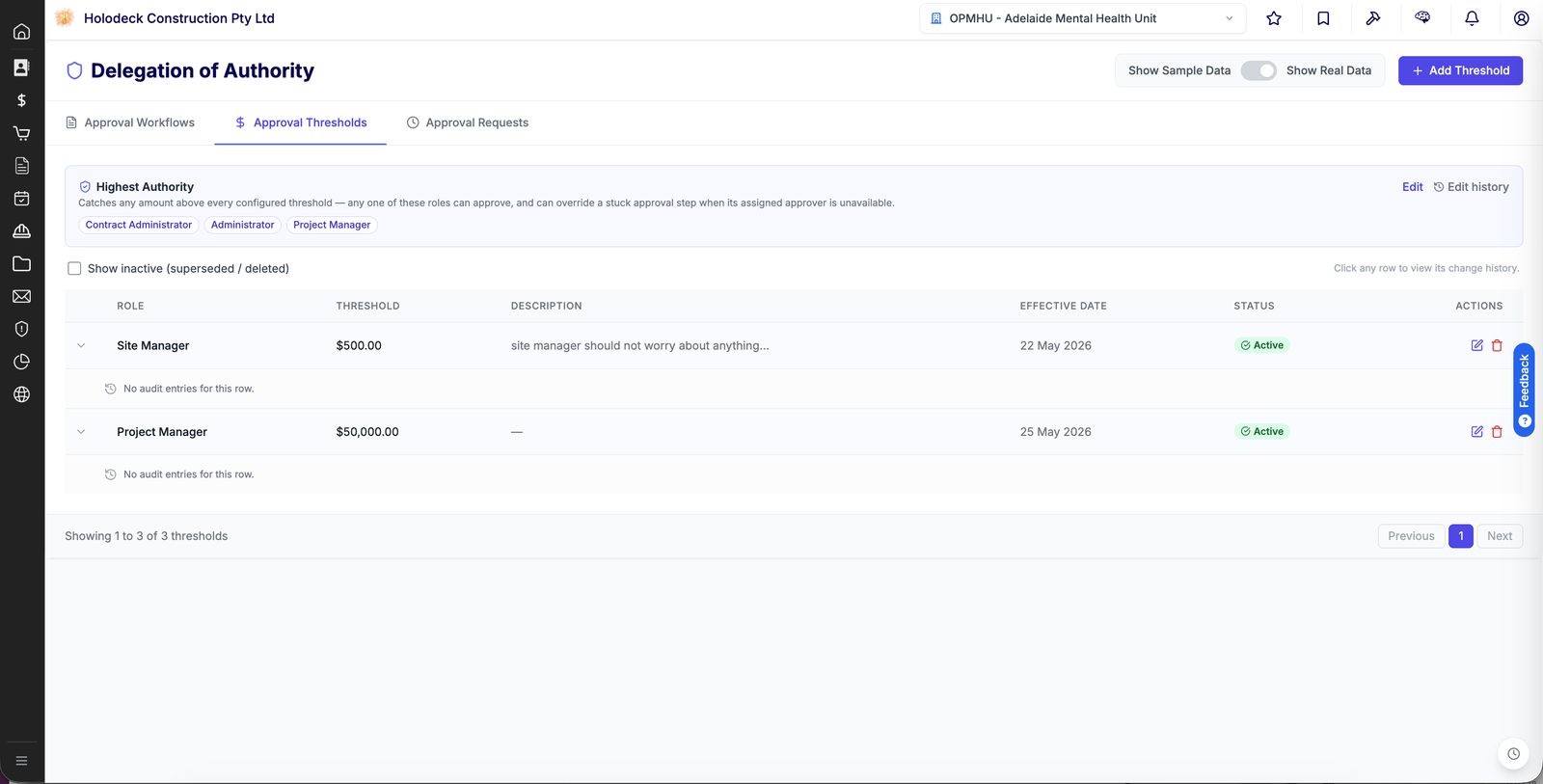
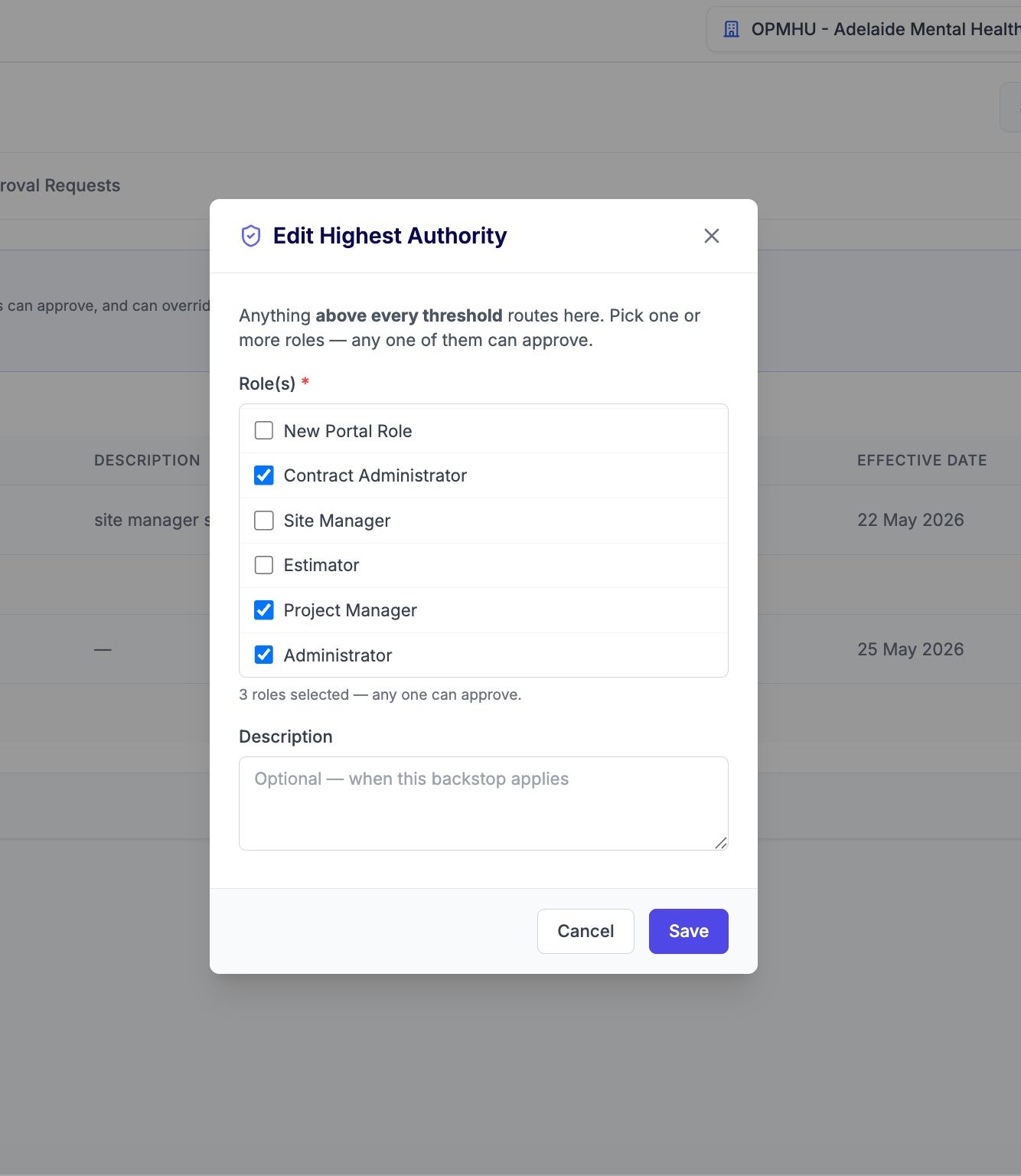
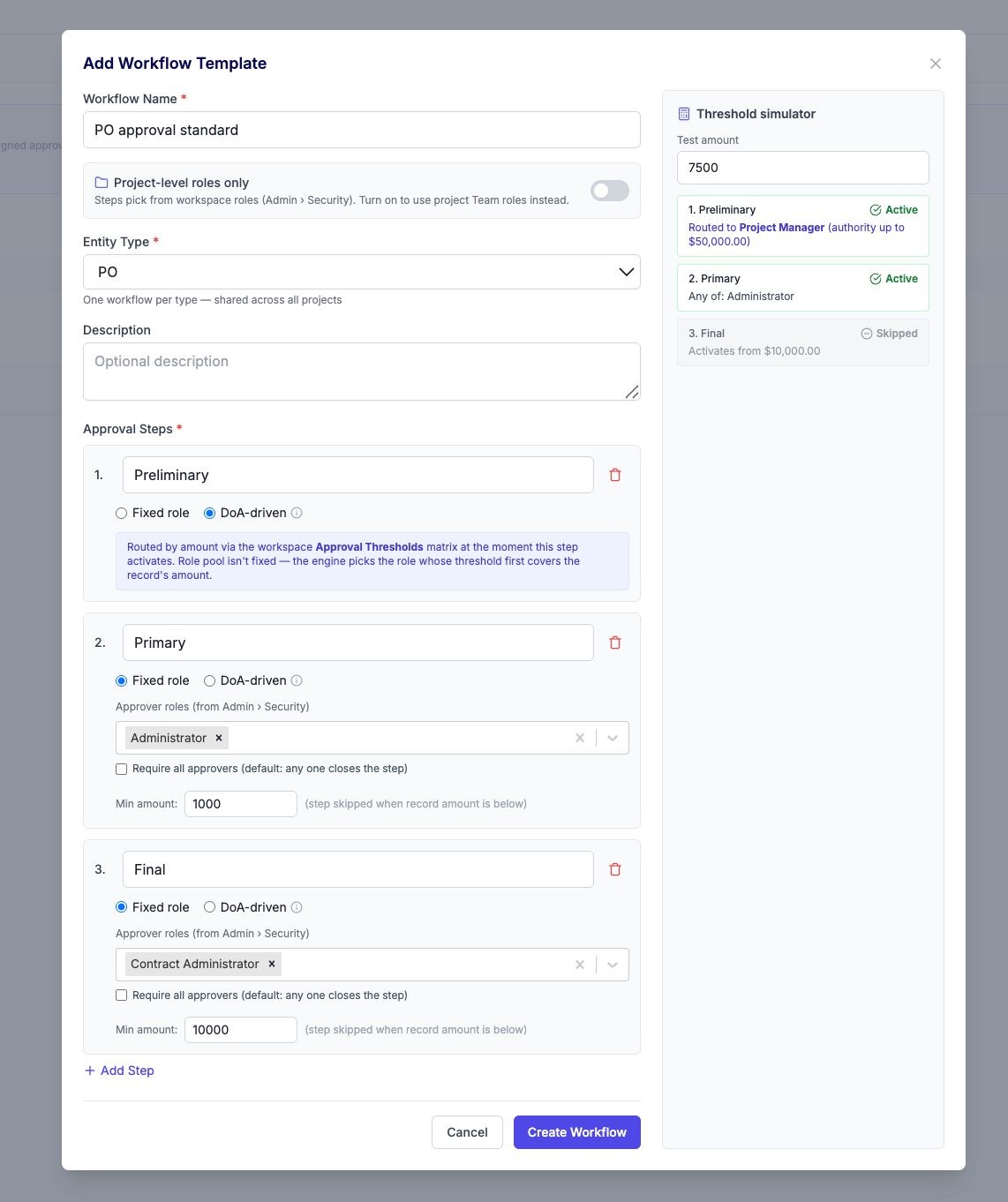
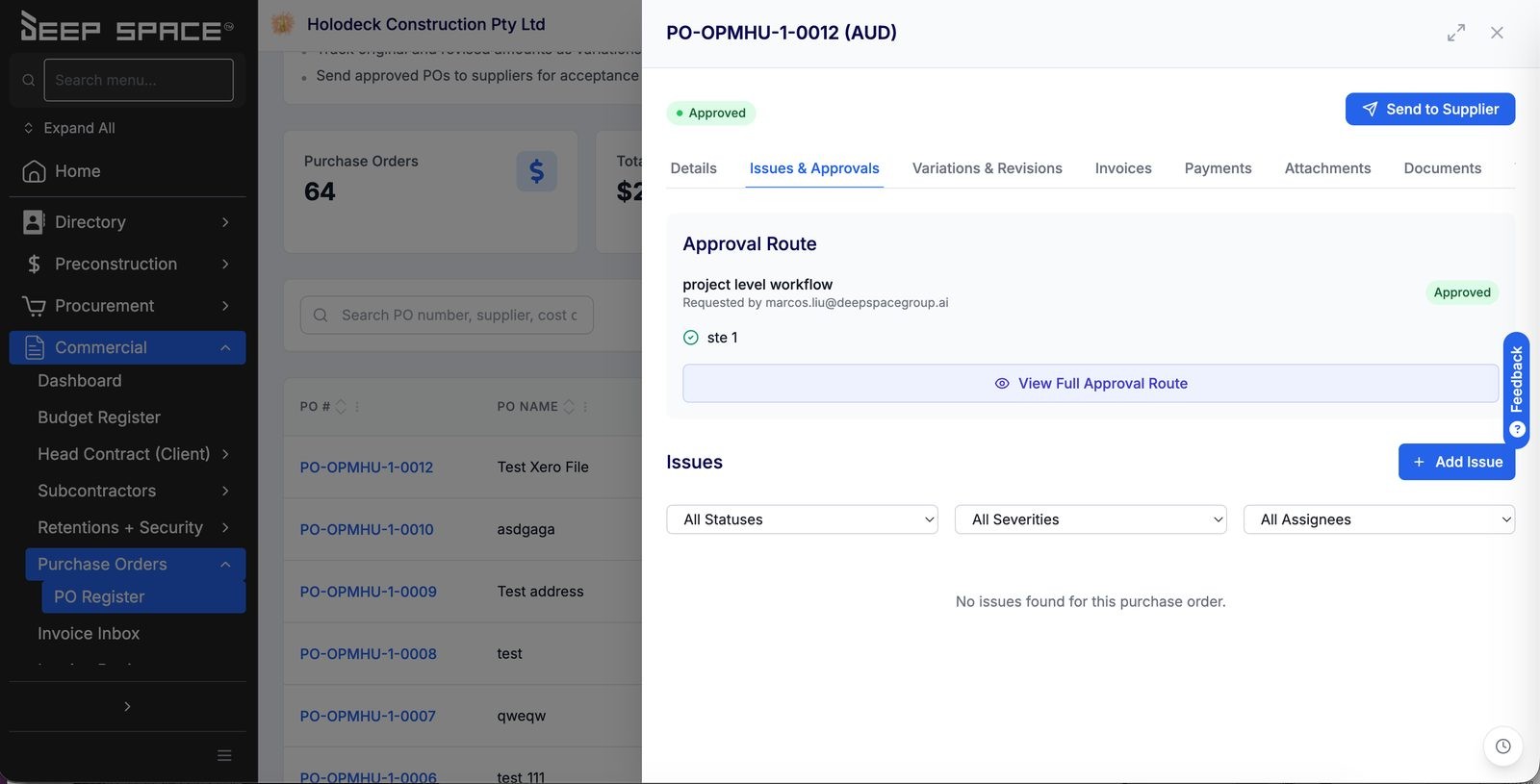
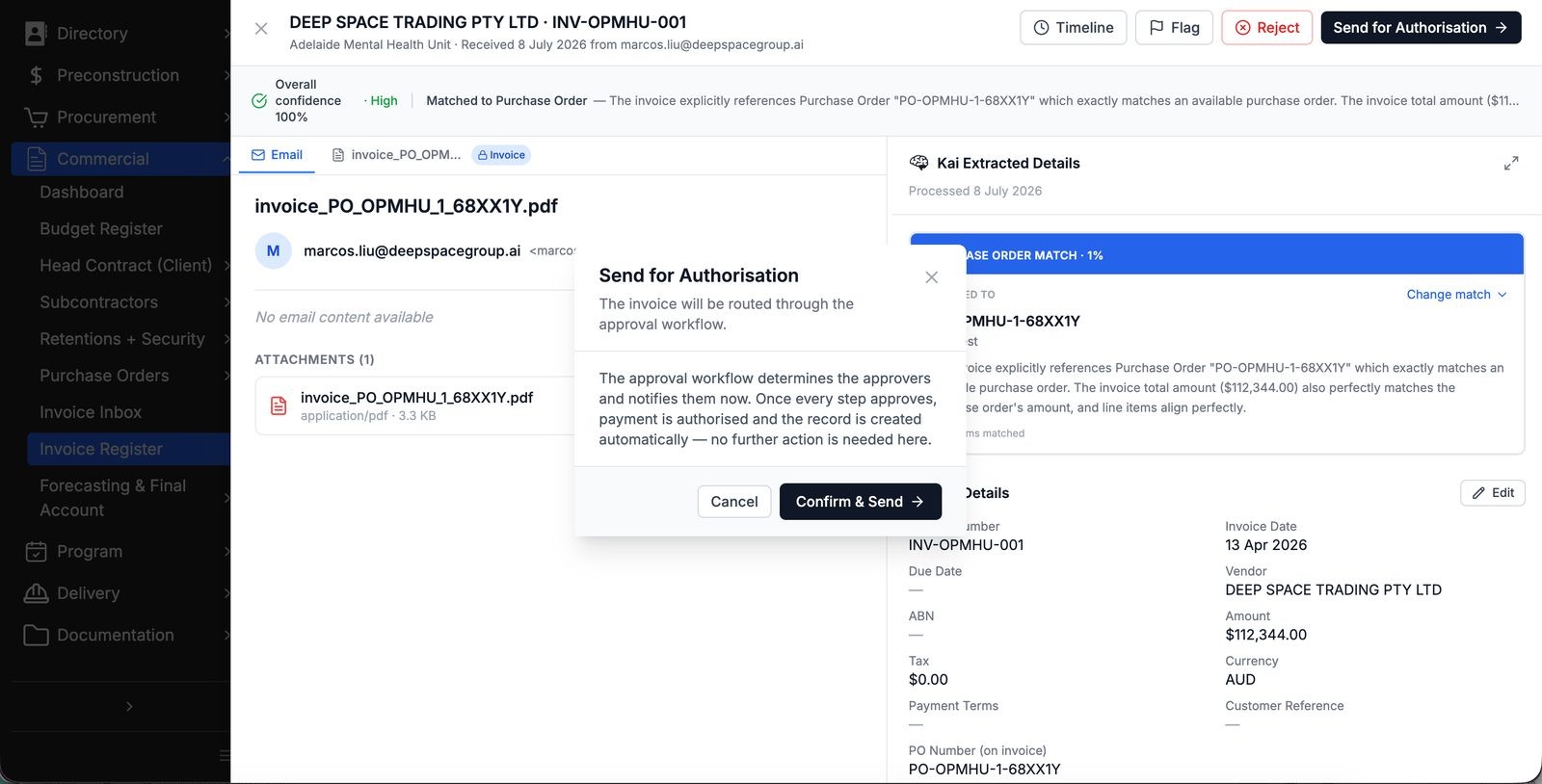
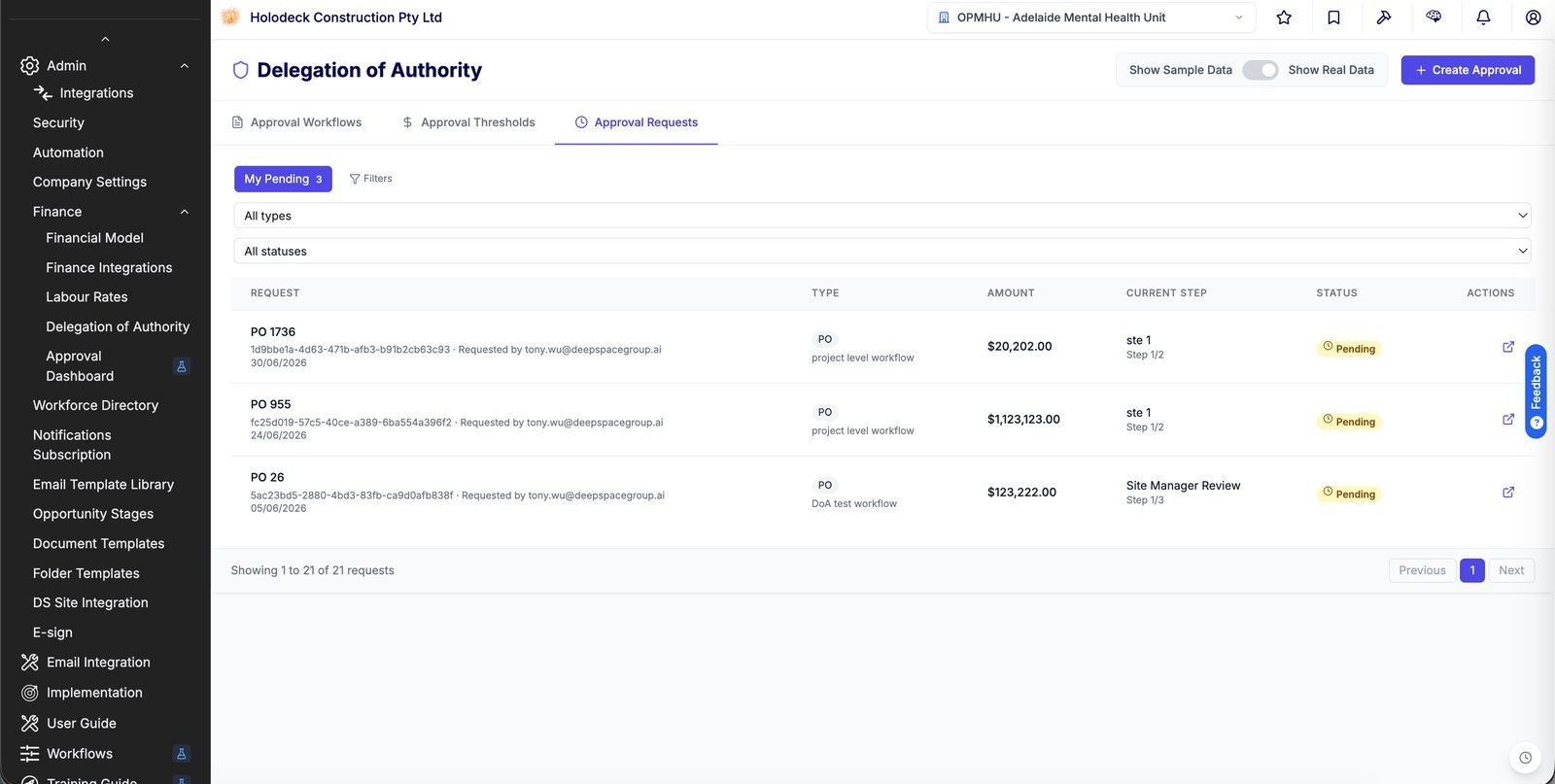
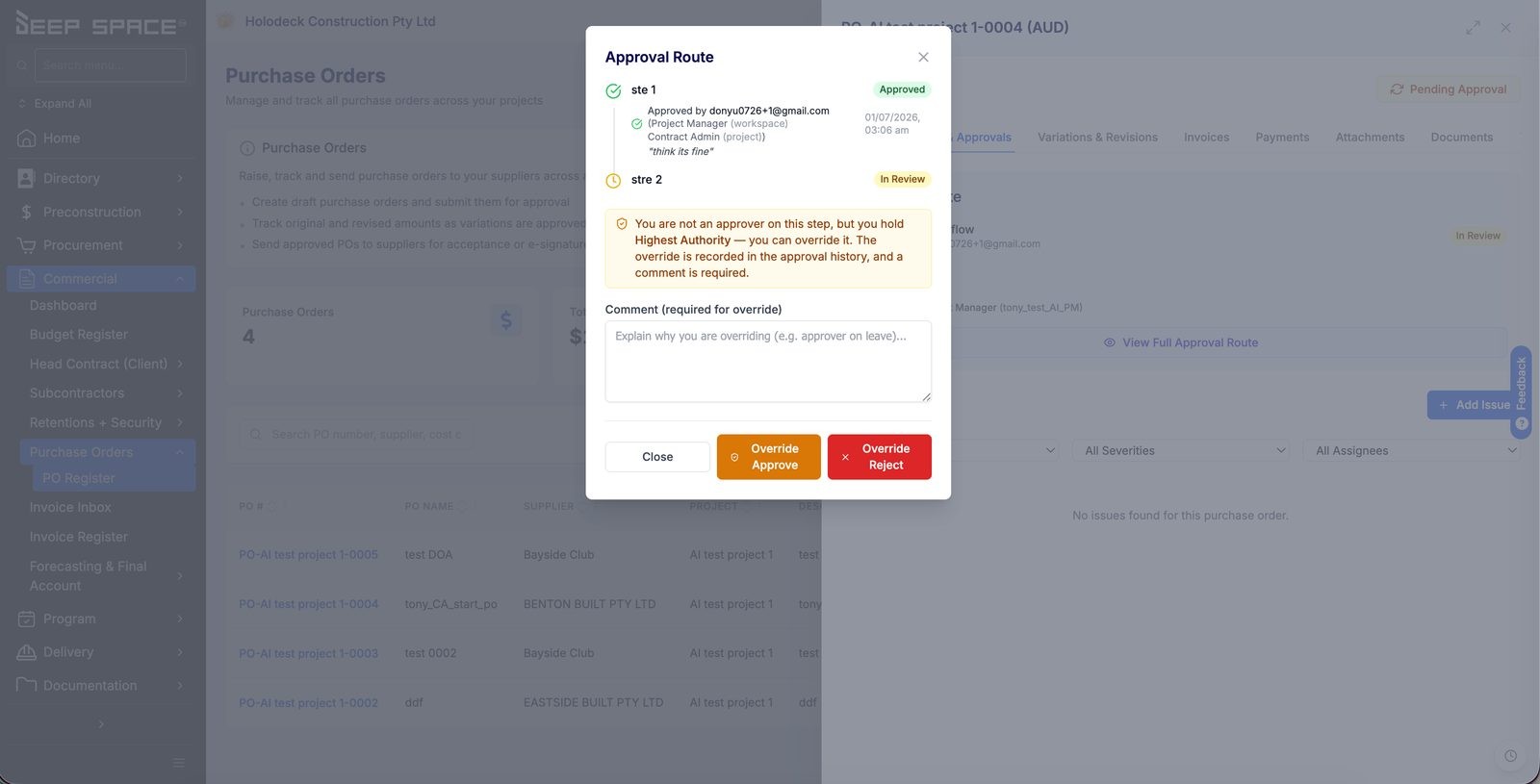
Your company's Delegation of Authority, live inside the platform. Set who can approve what amount once, and every Purchase Order, Invoice, Subcontract and HSEQ form (SWMS, Site Induction, Permit to Work, Plant Induction) submitted for approval routes itself to the right person, step by step, with the record's status updating the moment the last approval lands. Not an inbox rule. Not a spreadsheet sign-off sheet nobody trusts. Before / After Before. Approval meant chasing someone down, over email or in person, hoping they remembered your company's spending limits. Who could sign off a $60k PO versus a $600k one lived in someone's head, or in a policy document nobody opened. When that person was on leave, the record just sat there. And once approved, someone still had to go and change the status by hand. After. Thresholds, workflows and a Highest Authority backstop are configured once. From then on, every PO, Invoice, Subcontract and HSEQ form finds its own approvers automatically, based on amount and role. Approvers get an email and an in-app notification the moment it's their turn, approve or reject with a comment in two clicks, and the record's status updates itself the second the last step clears. Every decision, and who made it, stays on the record permanently. Why it matters A spending limit that lives in someone's head isn't a control, it's a hope. The approval engine turns your Delegation of Authority into something the platform actually enforces: the right approver, at the right amount, every time, with a complete audit trail behind it. Nobody has to remember the policy. The platform already knows it. How it works, step by step Lives under Admin > Finance > Delegation of Authority. Three tabs: Approval Workflows, Approval Thresholds, Approval Requests. Land on the workflow list, with the backstop always in view. The Highest Authority card sits above every tab, a permanent reminder of who catches anything that exceeds every configured threshold. Below it, workflows are grouped by entity type: PO, Invoice, Subcontract, HSEQ. Set the approval ladder. On Approval Thresholds, give each role a spending limit ("Site Manager: $500", "Project Manager: $50,000"). The larger the amount, the more senior the role required. Click any row for its change history, who set it and when. Set the backstop. Highest Authority catches anything above every threshold on the ladder, and can override a stuck step when its assigned approver is unavailable. Pick one or more roles, any one of them can act. Every change is logged. Build the workflow, and preview it before you save. Add a workflow per entity type and stack up approval steps: Fixed role (one or more named roles must approve, optionally all of them, and optionally only above a minimum amount) or DoA-driven (no fixed role, the engine reads the amount off your Thresholds ladder and finds the approver itself). Type a test amount into the Threshold Simulator on the right and watch which steps go Active and which get Skipped, before you commit to anything. Submit a Purchase Order. Click Request Approval from the PO's detail panel. Deep Space matches the workflow, opens the Approval Route, and notifies the first step. Submit an Invoice. After review, Send for Authorisation routes the invoice the same way. KAI's extracted invoice details sit alongside the confirmation, so the amount and PO match are checked before the approval clock starts. Submit an HSEQ form. SWMS, Site Induction, Permit to Work and Plant Induction forms use the identical Request Approval action. Already in flight? The button reads View Approval Route instead, so you can check progress any time. Get notified the moment it's your turn. Every step's approvers get an email with a direct link, and the bell icon lights up in-app. No checking in, no "has anyone looked at this yet". Work your queue. Notifications land you on Approval Requests, My Pending: every request you're on the hook for, with its record reference, amount, and current step ("Step 1/2", "Step 1/3"). Approve or reject, with a comment. Open a pending item and the record's full approval route is right there, every step, its approver, its status. Leave a comment (visible to every approver on the record) and click Approve or Reject. If you don't hold the current step's role, the buttons are simply greyed out. Override when someone genuinely can't act. A Highest Authority holder can step in on a stuck approval, on leave, left the business, whatever the reason. The override requires a comment, and it's never quiet about it: the decision carries a visible Override marker in the approval history from that point on. Watch the status update itself. All steps approved, the record's status flips automatically, no manual edit required, and the full history (who, when, what they said, any override) stays attached to the record for good. Any step rejected, the process stops there and the requester revises and resubmits. Or check it all from the bell. The Notifications drawer lists everything, filterable to Action Required, and clicking a request jumps you straight into the right project with the record already open. You never have to go hunting for what's waiting on you. Three things worth knowing DoA-driven steps don't have a fixed approver. The engine re-checks the Thresholds ladder against the record's amount every time, so a change to the ladder changes future routing without touching a single workflow. A Min amount on a Fixed role step isn't a suggestion, it's an automatic skip. Set it once and small records stop landing on senior desks that never needed to see them. Every override is permanent and visible. There's no quiet approval on someone else's behalf, the comment and the marker stay on the record's history forever. Note: if Delegation of Authority isn't showing under Admin, or Request Approval isn't appearing on your records yet, your workspace role may not have it enabled. Check with your admin.
How do you feel about this update?