
Productivity Update: Install Deep Space Directly to Your Desktop and Taskbar
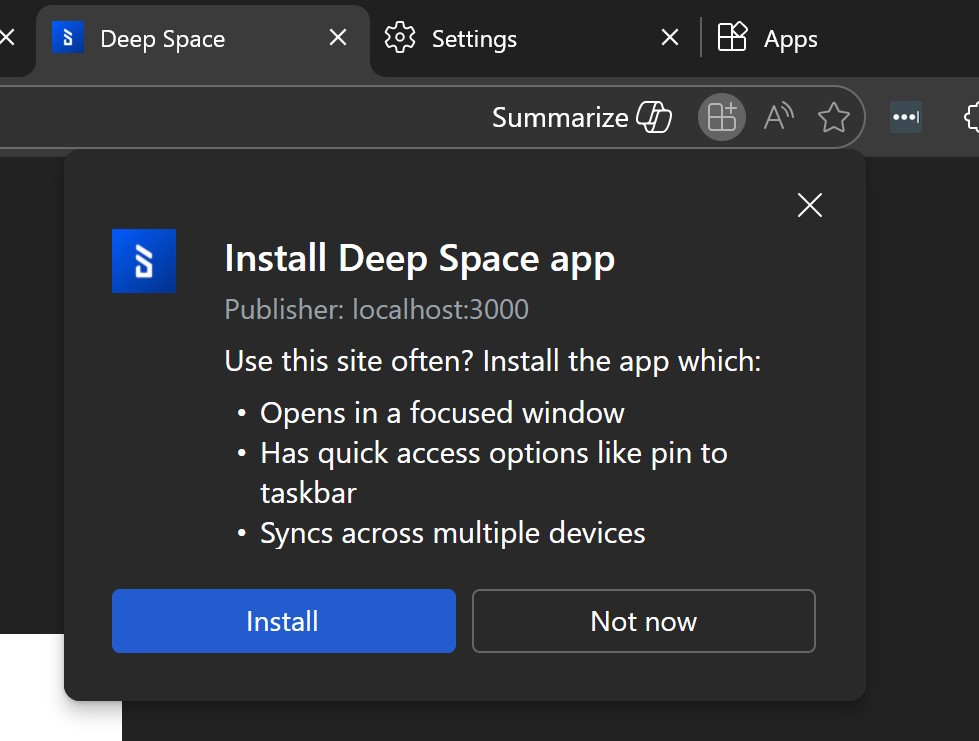
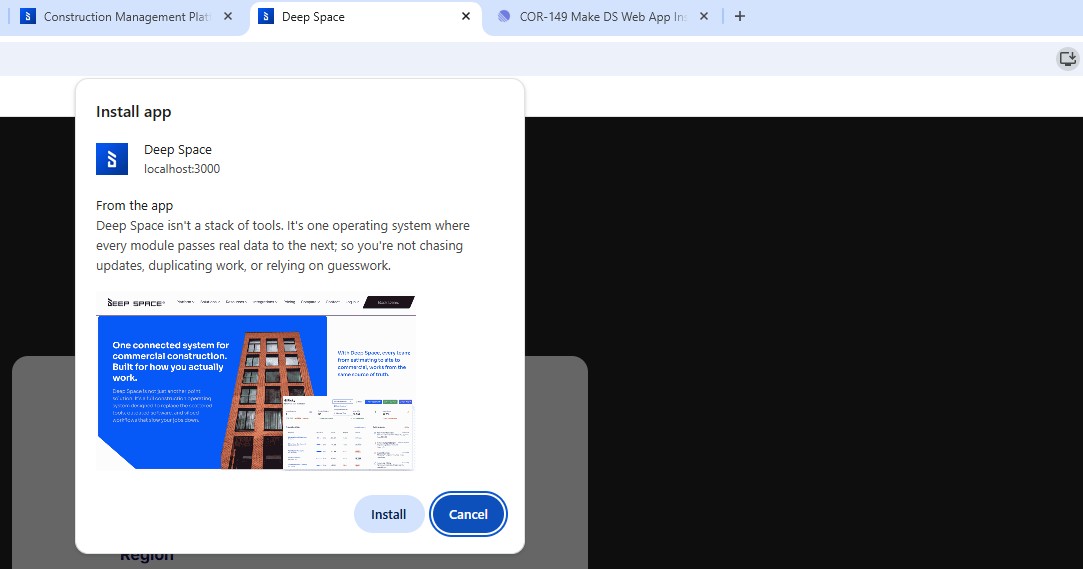
Break Free From the Browser: Introducing the Deep Space Desktop App 🖥️ We are excited to announce a major workflow upgrade for all users. Starting today, you can install the Deep Space Web App directly to your desktop. This update transforms Deep Space from a simple browser tab into a dedicated application window, available for both Google Chrome and Microsoft Edge users. What’s New You can now "install" Deep Space as a standalone app directly from your browser. Once installed, Deep Space behaves just like a native desktop application, removing the browser interface entirely so you can focus on your work. Chrome Installation: Simply navigate to the Deep Space platform page. If you are logged in, you will see an "Install" icon in the address bar. One click opens Deep Space in its own dedicated window, which you can immediately pin to your taskbar. Edge Installation: Edge users get even more control. When you install via the Edge address bar, you can choose to create a Desktop Shortcut or enable Auto-start so Deep Space opens automatically when you boot up your computer. Taskbar Pinning: In both browsers, you can pin the Deep Space icon to your taskbar or Start menu for instant access. Mobile Support: This Install also shows on Mobile - when you browse to the login page, you will see a 'Install' option at the bottom of the screen. Why We Built This We know that context switching is the enemy of productivity. When Deep Space lives inside a browser tab, it’s easy to get lost among dozens of other open tabs or get distracted by the browser interface itself. We built the Web App experience to give you: Focus: By removing the address bar and tabs, you get a clean, immersive environment dedicated solely to your project. Speed: Jumping straight into your workspace from a desktop icon is significantly faster than opening a browser and navigating to the login page. Stability: Treating Deep Space as an app ensures it stays open and active, exactly where you left it. Ready to try it? Go to the Deep Space platform page now to see the install option appear in your address bar! You can also watch this quick video to see how to use this new feature: [embed: https://youtu.be/UmFBgHtdgVA] Images:
How do you feel about this update?